 CalmLedger Studio
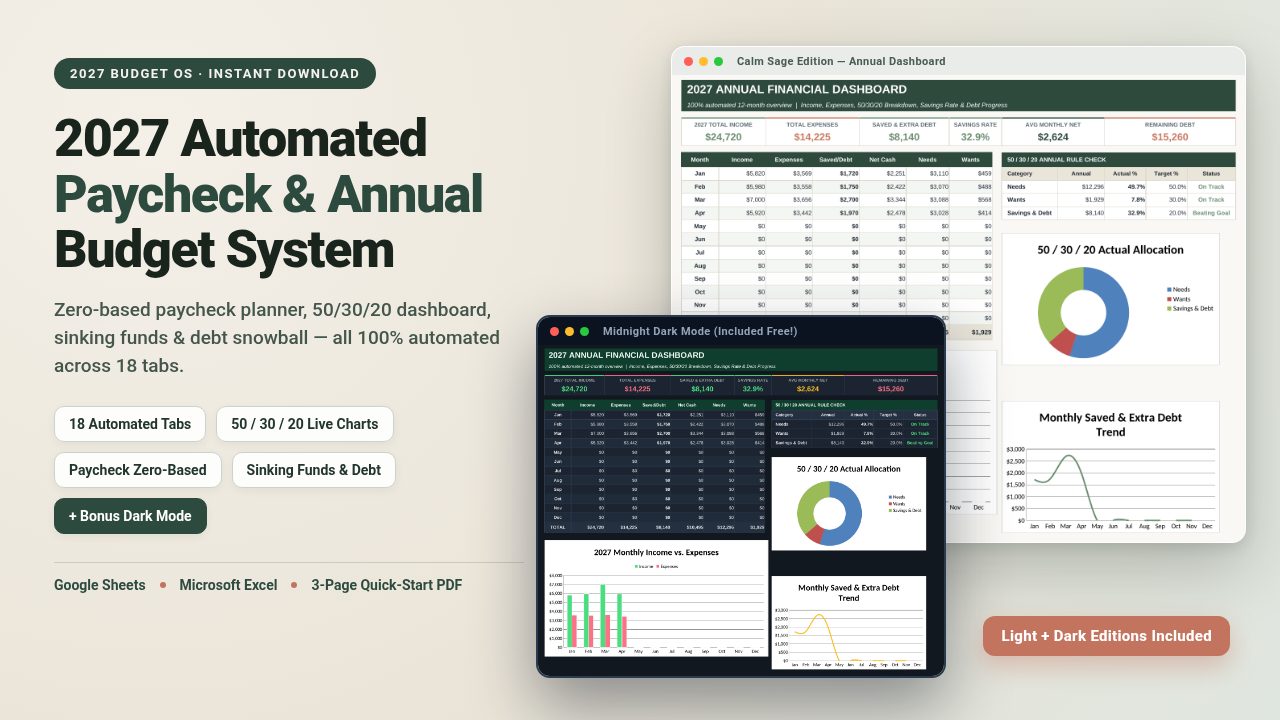
Calm Sage Edition (.xlsx)
Warm cream and forest sage light theme for everyday planning.
Instant download · One-time $9.99
Give every paycheck a job in about five minutes a week. An 18-tab spreadsheet for Microsoft Excel and Google Sheets — no macros, no plugins, and no monthly fee.
Made for personal paycheck and household budgeting — weekly, biweekly, semi-monthly, or monthly pay, in USD, CAD, or another currency you set. This is a template you fill in yourself, not a financial, investment, or tax advisory service.
What’s included
After payment, you get an instant download with both spreadsheet editions and a short setup guide. Works with any currency and with weekly, biweekly, semi-monthly, or monthly pay.
Warm cream and forest sage light theme for everyday planning.
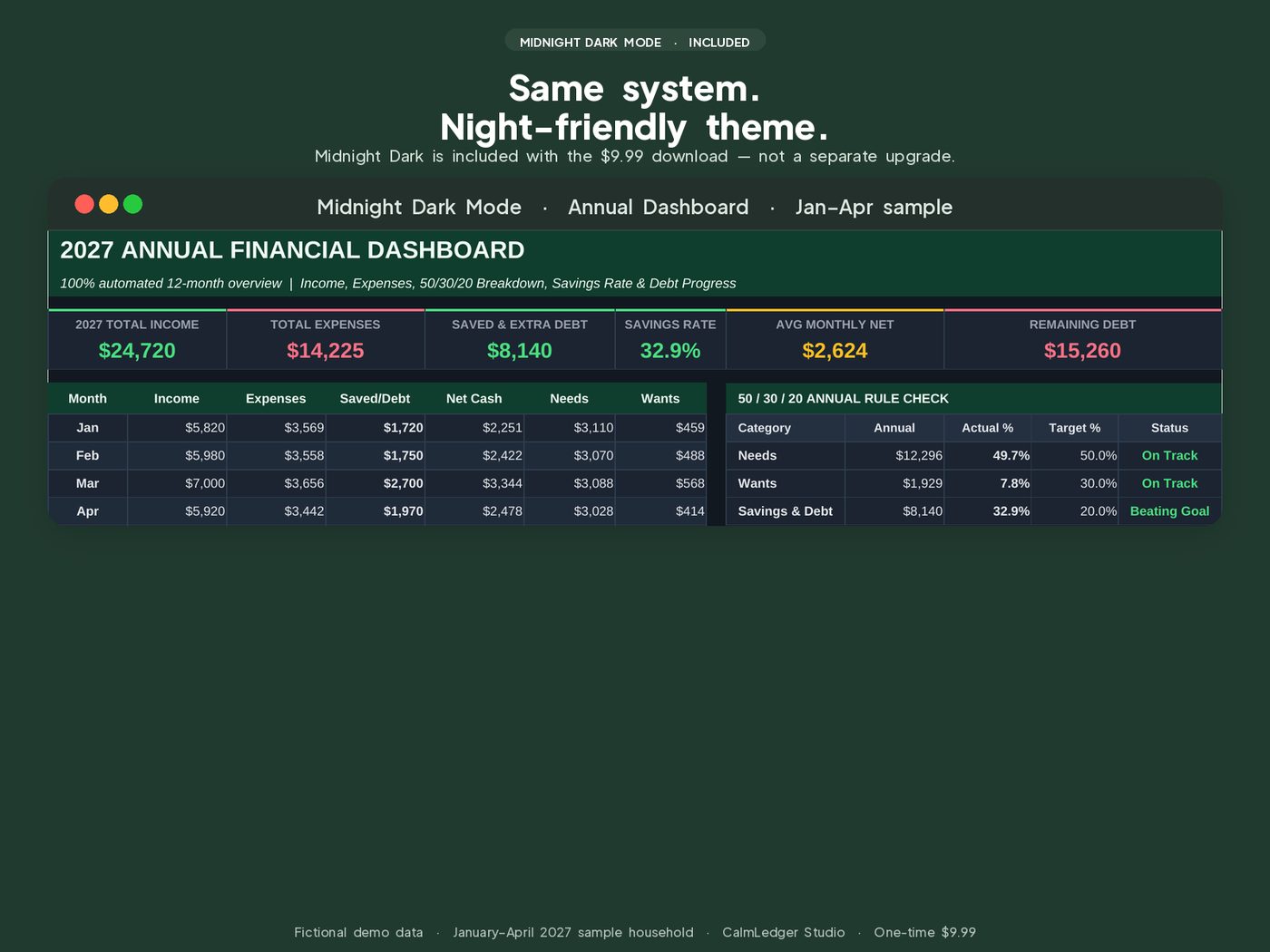
Charcoal and emerald dark theme — included, not a separate upgrade.
Google Sheets and Excel import steps, plus a five-minute setup walkthrough.
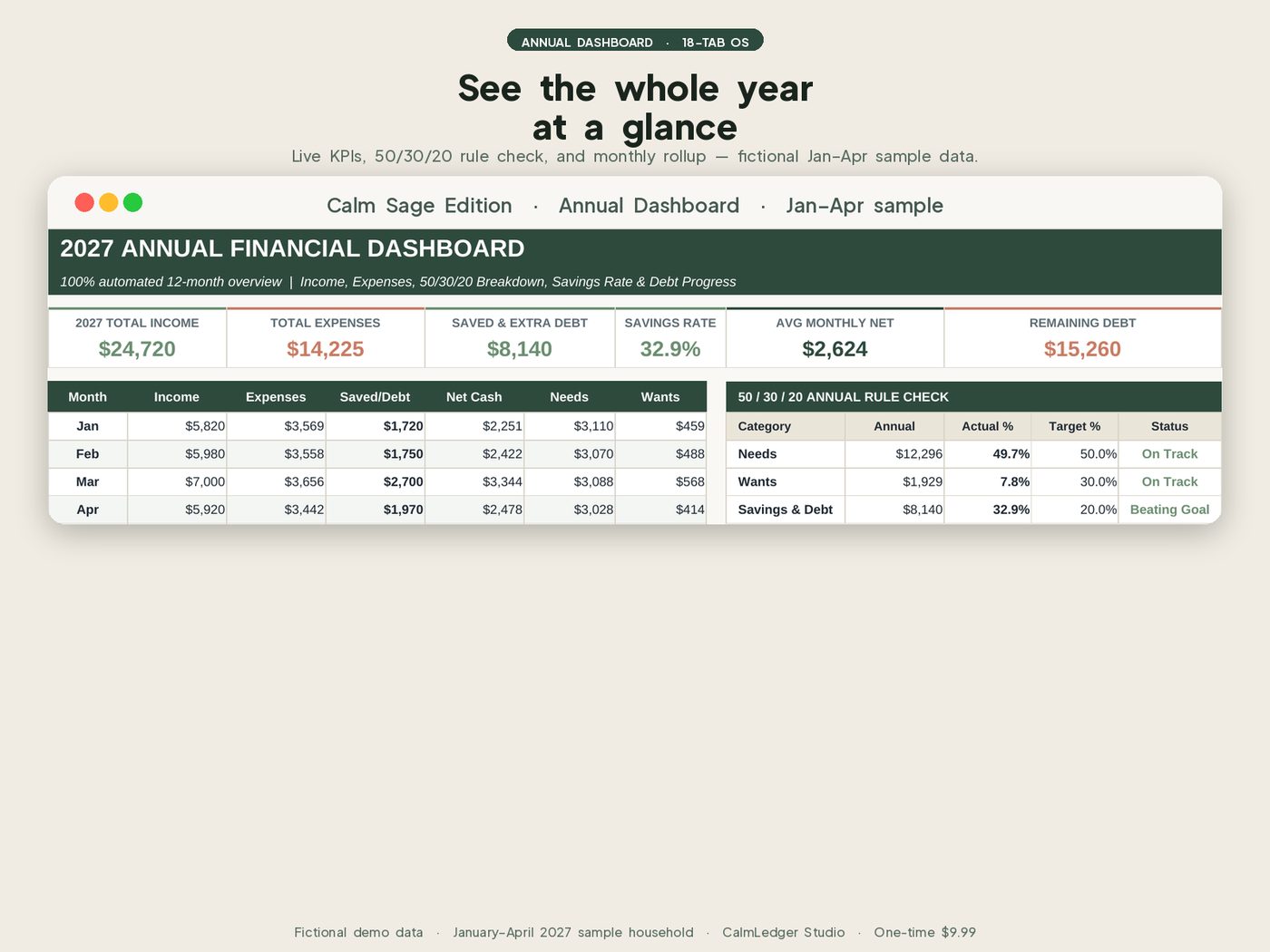
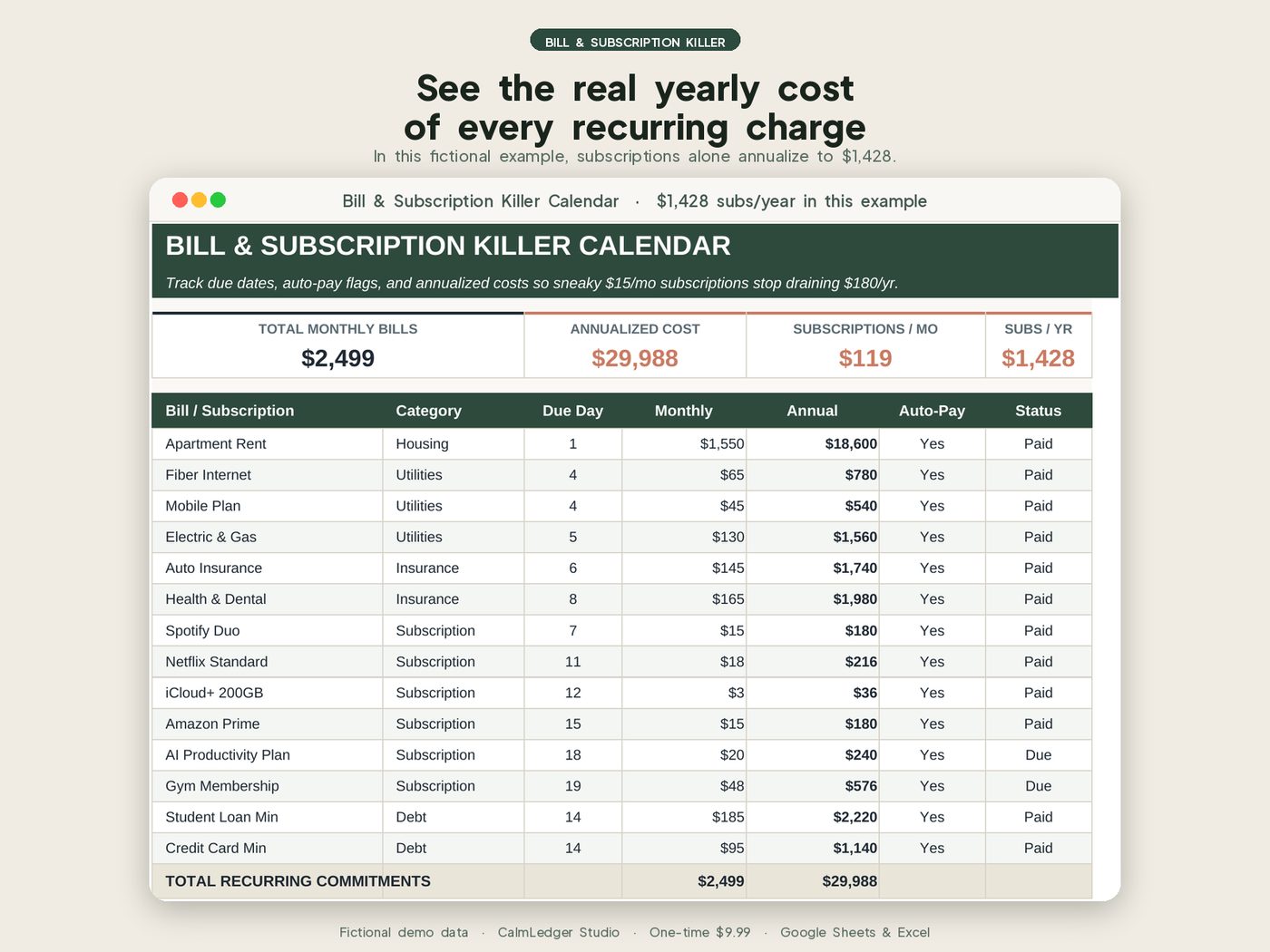
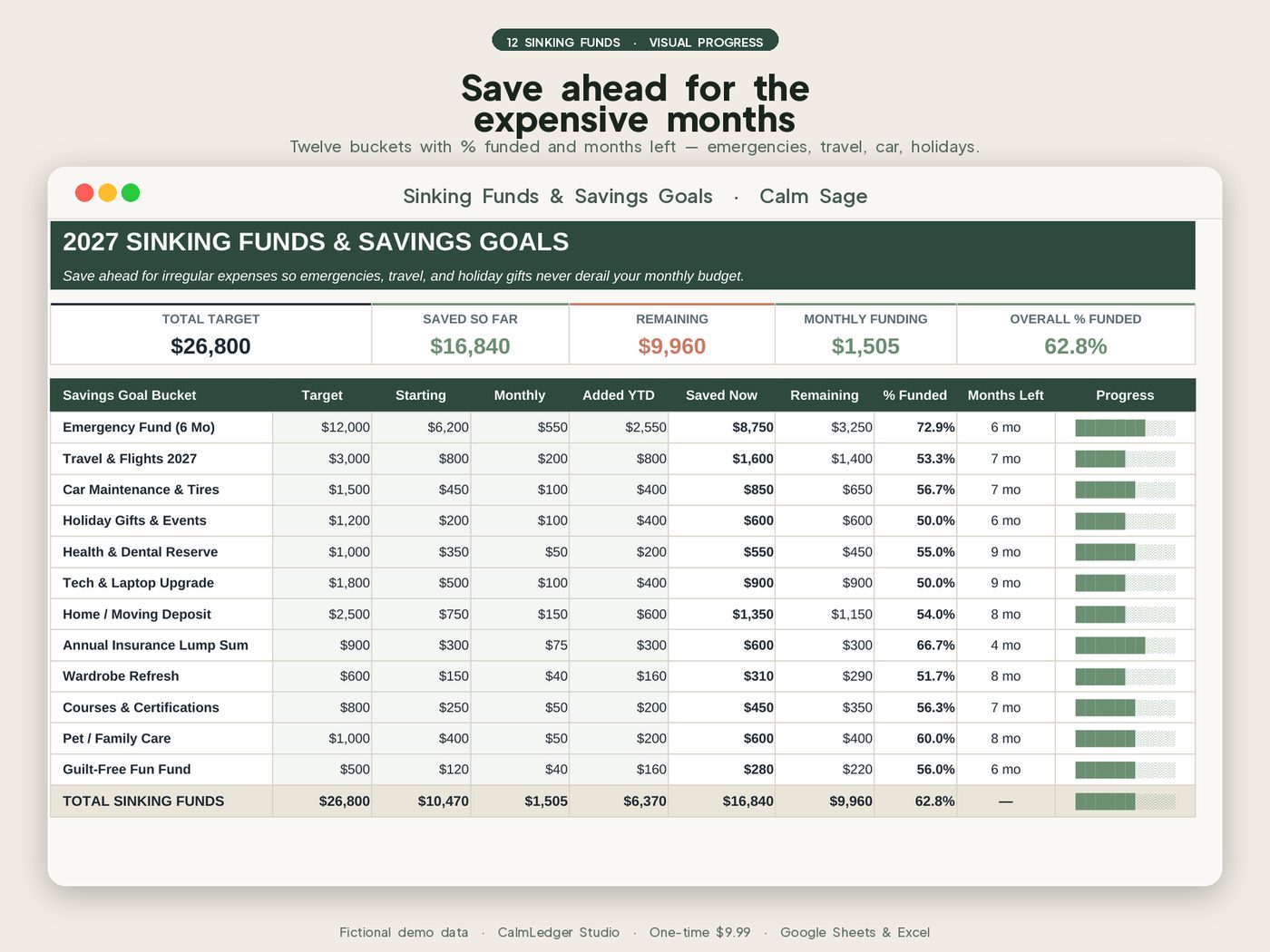
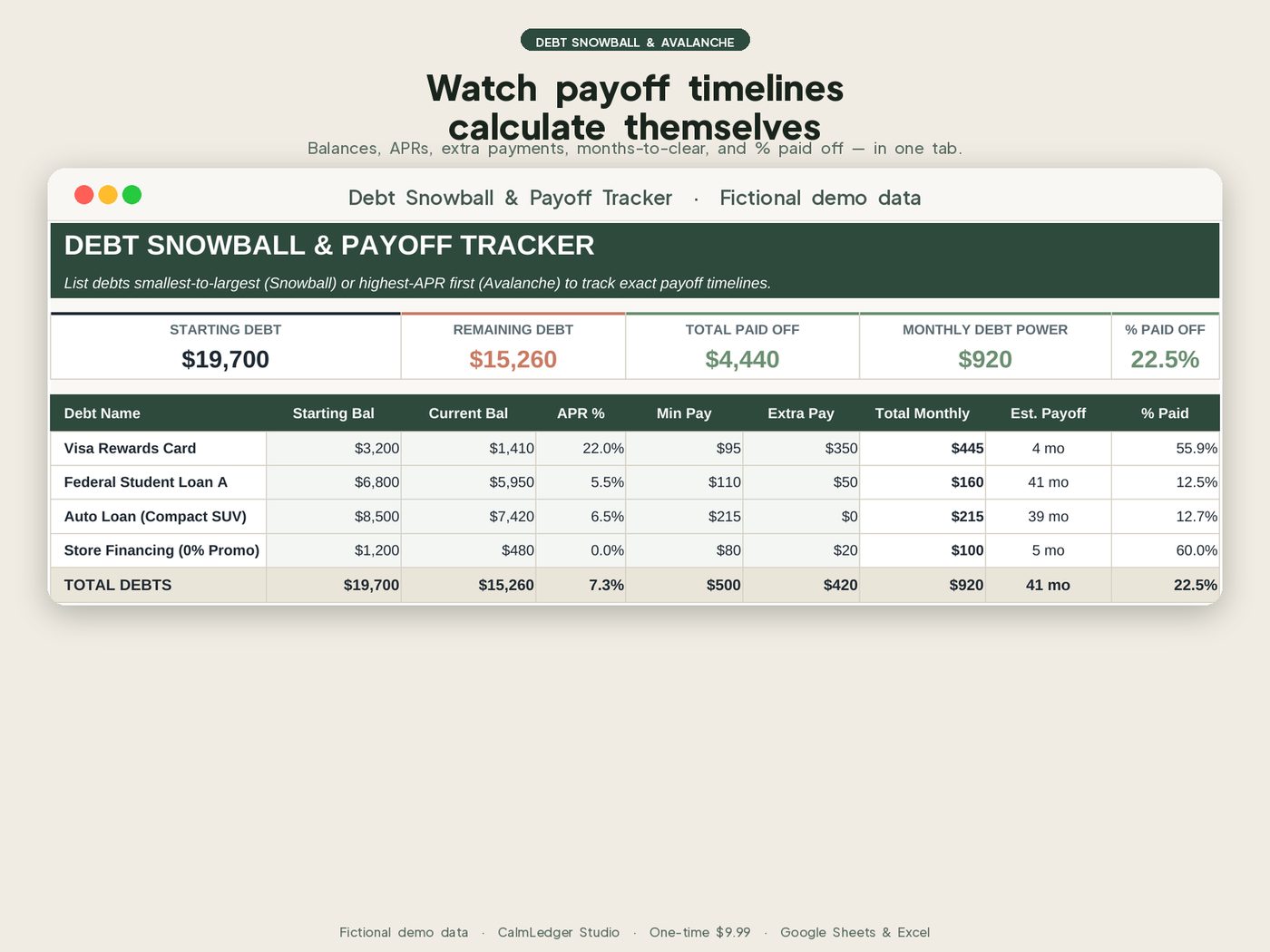
Annual dashboard, paycheck planner, bills and subscriptions, sinking funds, debt payoff, and January–December monthly logs.
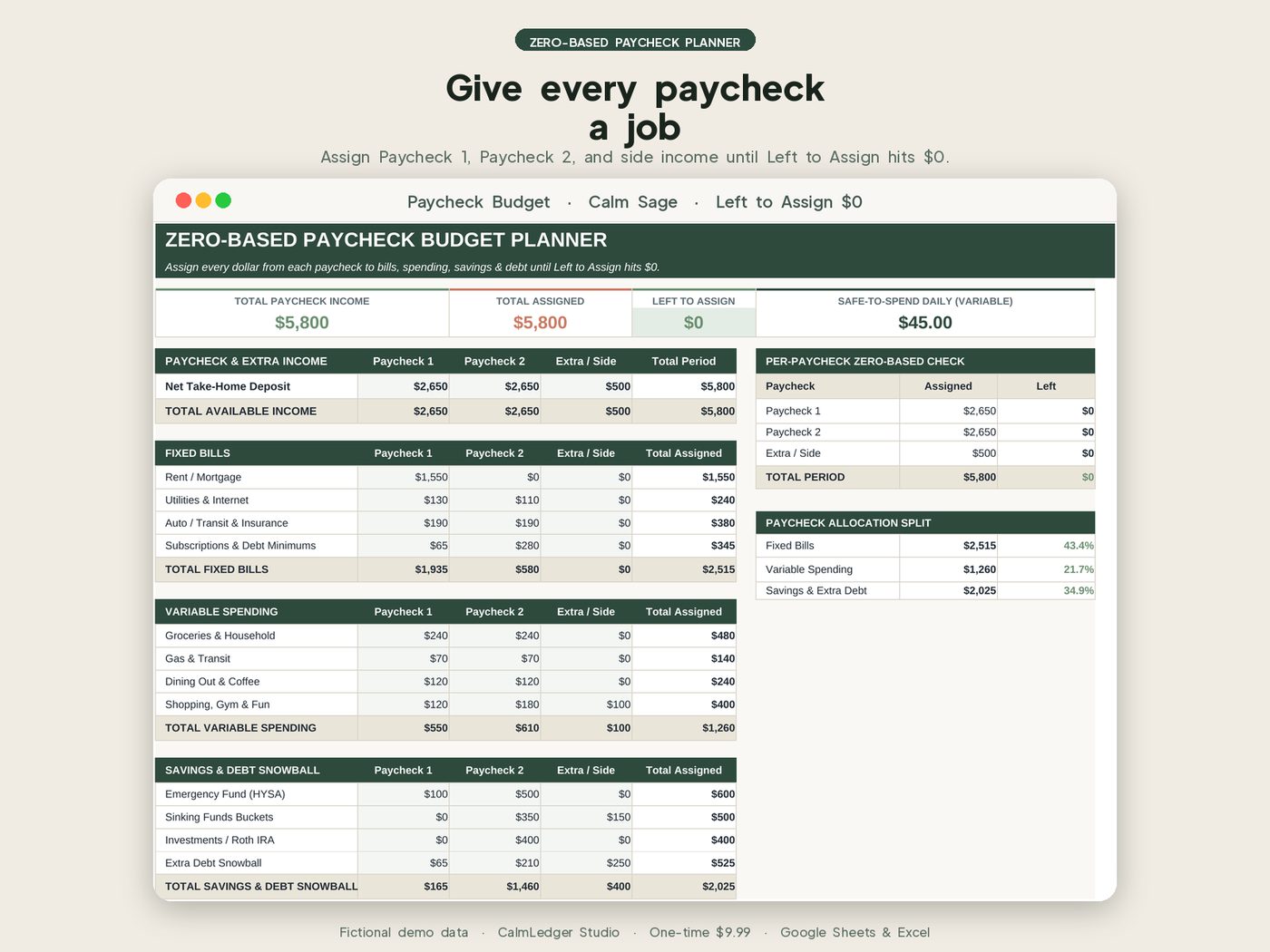
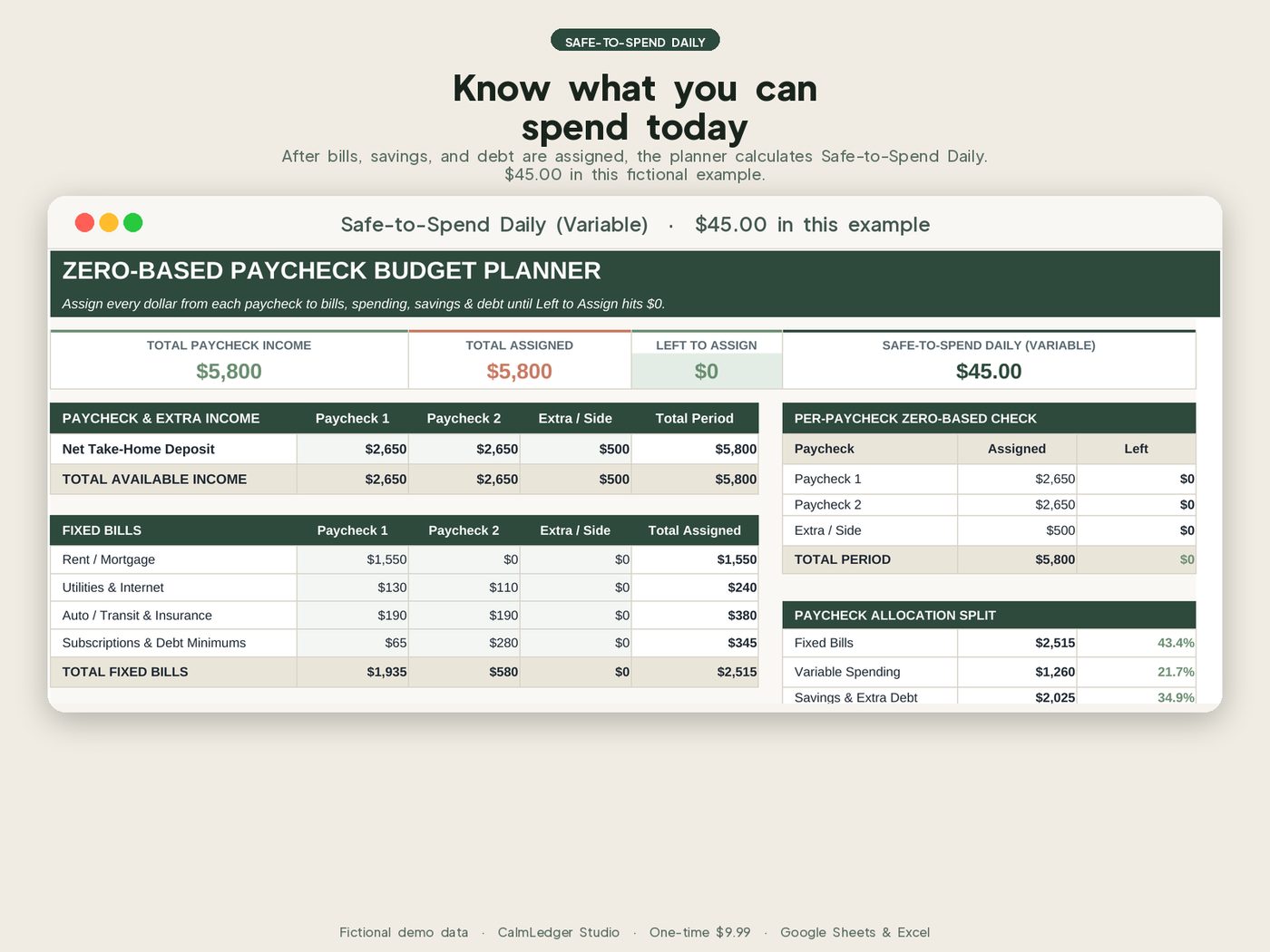
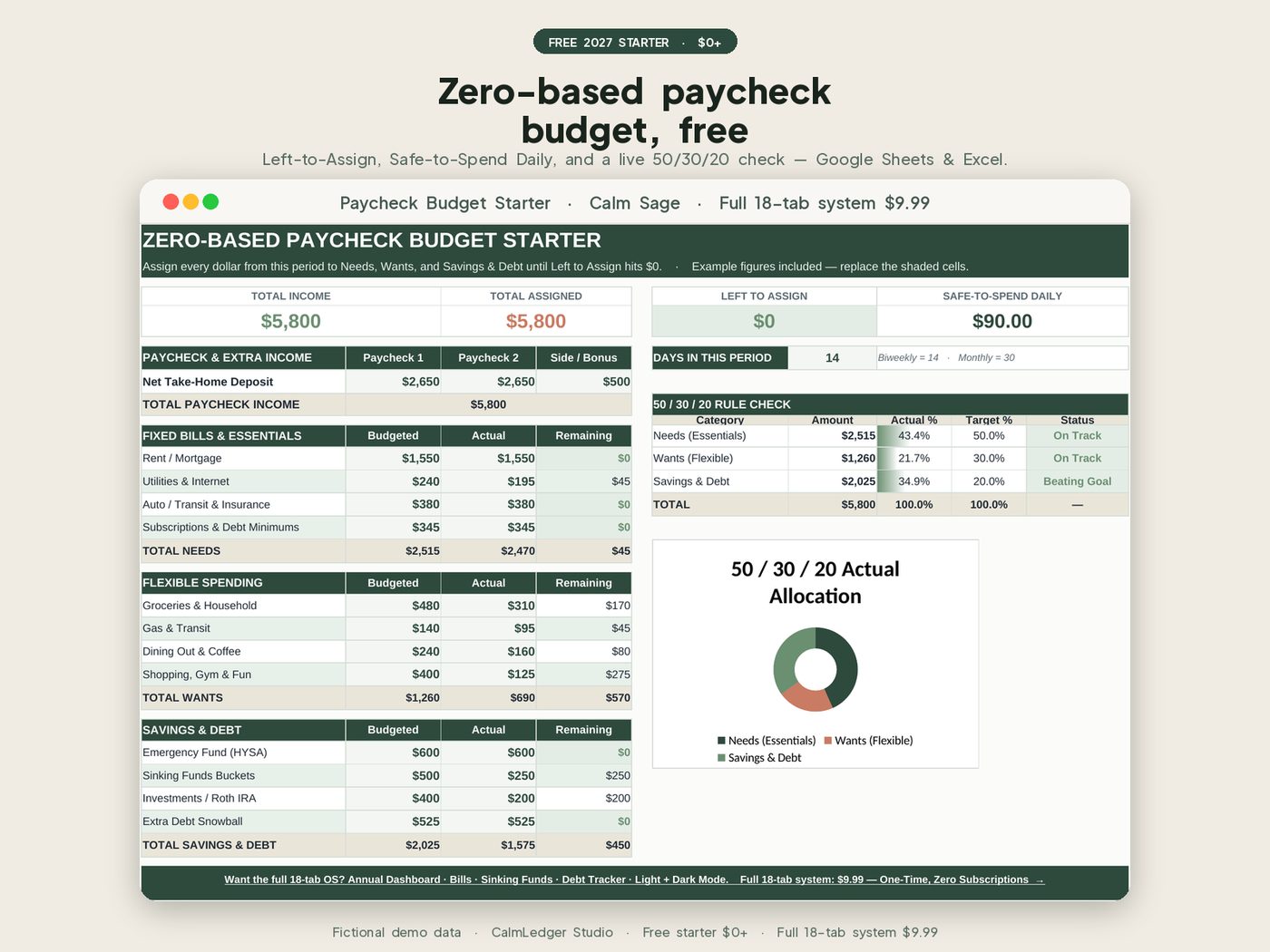
Assign Paycheck 1, Paycheck 2, and side income until Left to Assign hits $0. Safe-to-Spend Daily is calculated for you.
No macros and no plugins. Type only into the shaded input cells. Formulas and charts are already built.
Preview
Screenshots use fictional sample data for a January–April household. Your copy arrives blank, ready for your own numbers.
Delivery
This is a digital product. Nothing is shipped.
The Buy button opens the EXNO checkout page. The price is $9.99 USD, one time. EXNO is the merchant of record for the purchase.
After payment, you can download the files from the confirmation page. A receipt and download link are also emailed to the address you use at checkout.
Open the .xlsx file in Microsoft Excel, or upload it to Google Drive and choose File → Save as Google Sheets. The PDF walks through a five-minute setup.
Optional free starter
The free 2-tab paycheck starter lets you assign Paycheck 1, Paycheck 2, and side income, and see Left to Assign and Safe-to-Spend Daily. Upgrade anytime to the full 18-tab OS for $9.99.
Get the free starter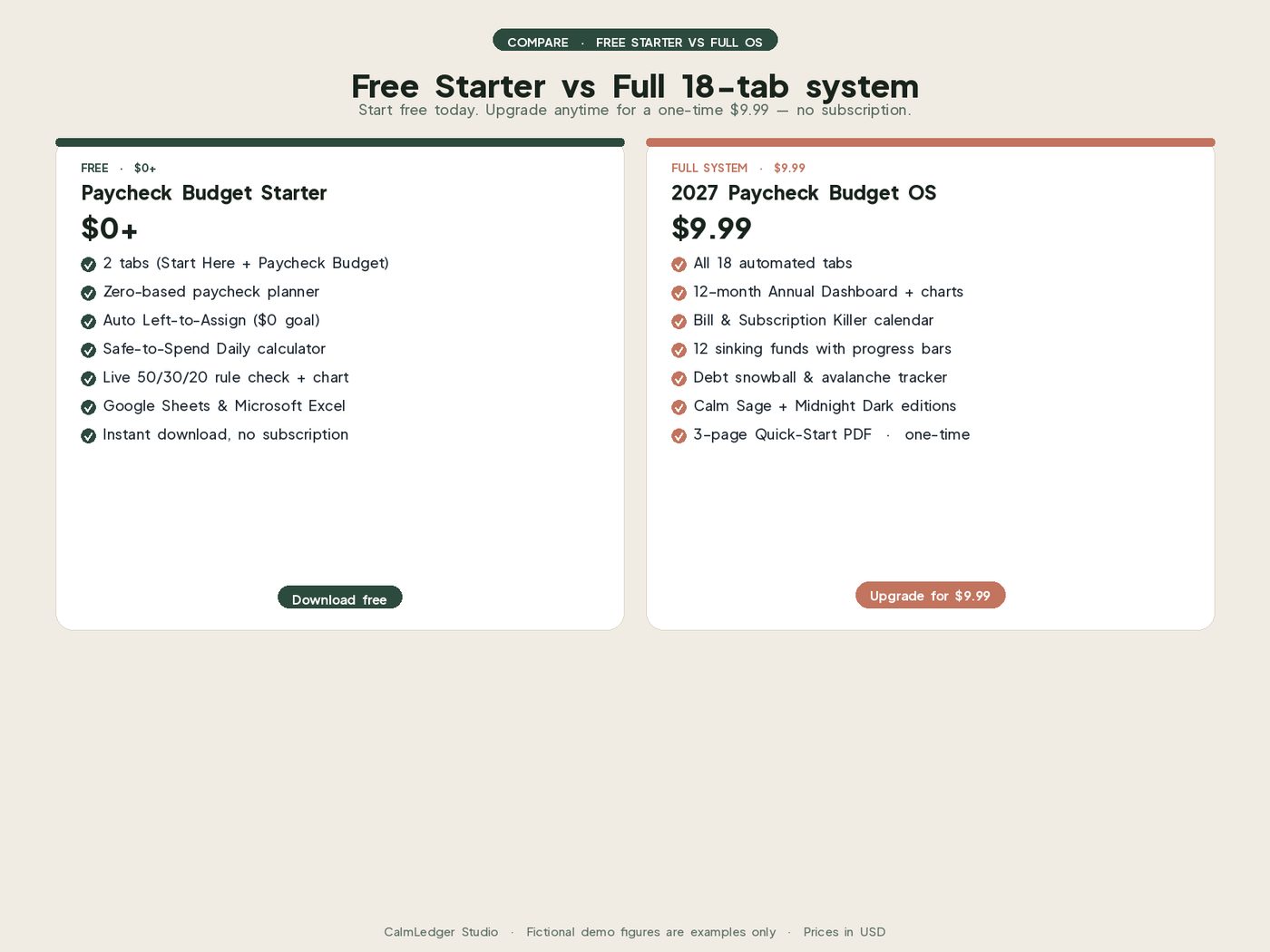
FAQ
No. Every formula is already built. You only type into the softly shaded input cells.
Yes. Use the .xlsx file in Microsoft Excel (2019, 2021, or 365 on Windows or Mac). For Google Sheets, upload the file to Drive and choose File → Save as Google Sheets. A free Google account is enough. There are no macros or plugins.
No. The price is $9.99 USD, one time. You receive both the Calm Sage and Midnight Dark editions and can keep using the files.
This is an instant digital download. After payment you get the files on the confirmation page and by email from EXNO. See Delivery.
Yes. It supports weekly, biweekly, semi-monthly, and monthly pay, and common currency symbols including USD and CAD.
Yes. Keep a blank master copy and duplicate it for a new year.
Yes. A 2-tab paycheck starter is available at no charge: get the free starter.
Because this is an instant digital download, all sales are final once the files are delivered. If a file will not open or something is wrong, email calmledger@exno.app and we will help or send a replacement. This does not limit any legal rights that apply where you live. Full details are on the Refund Policy page.
The 2027 Paycheck Budget OS is $9.99, one time, for Excel and Google Sheets.
Please note: 2027 Paycheck Budget OS is a budgeting spreadsheet template for personal planning. It is not financial, investment, or tax advice, and it does not replace a conversation with a qualified professional. Screenshots show fictional sample data.